sphinx_exec_jupyter
The sphinx-exec-jupyter Sphinx extension allows you to execute code
in a Jupyter kernel and embed the output directly into your Sphinx documentation.
This extension adds at least one directive (see sphinx_exec_jupyter.holoviews for more):
- .. exec-jupyter::
Execute a Jupyter notebook cell and embed the output into the documentation. The Python expression on the last line of the directive body is displayed.
It can be configured with the following settings:
- exec_jupyter_code
- Type:
str
Prefix code to execute before the code in
exec-jupyterorholoviews. Kernels are started from forked processes after this code is executed, so it can be used for long-running initialization code (e.g. slow imports).
- exec_jupyter_kernel
- Type:
str
Name of the Jupyter kernel to use. If not set, the default kernel is used.
- exec_jupyter_isolate_per_document
- Type:
bool- Default:
True
If
True, all directives in the same document share a single kernel, so variables defined in one directive are accessible in later ones. WhenFalse, each directive runs in its own isolated kernel.
- exec_jupyter_patch_myst_nb
- Type:
bool- Default:
True
If
Trueand eitherexec_jupyter_codeorexec_jupyter_kernelare set, themyst_nbextension is patched to use the provided code and/or kernel.
Examples
Just use it like a code block:
..  exec-jupyter::

    <code>
The code gets executed and you see both code and results:
import pandas as pd

pd.DataFrame(dict(
    A=[1, 2, 3],
    B=[4, 5, 6],
))
| A | B | |
|---|---|---|
| 0 | 1 | 4 |
| 1 | 2 | 5 |
| 2 | 3 | 6 |
If you use exec_jupyter_code,
you can’t use IPython magic commands in it.
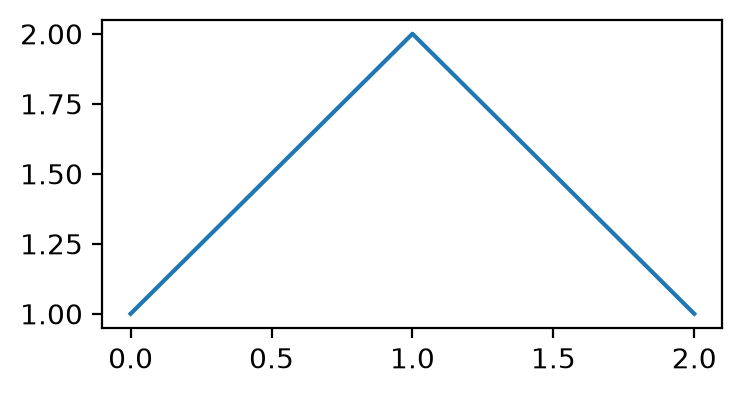
The following example uses matplotlib % magics, which could be spelled as
matplotlib.use('module://matplotlib_inline.backend_inline') and
matplotlib_inline.backend_inline.set_matplotlib_formats('retina') in preload code.
%matplotlib inline
%config InlineBackend.figure_format='retina'

import matplotlib.pyplot as plt

plt.figure(figsize=(4, 2))
plt.plot([1, 2, 1]);
sphinx_exec_jupyter.holoviews
If you installed sphinx-exec-jupyter with the holoviews extra
(e.g. pip install sphinx-exec-jupyter[holoviews]),
the sphinx_exec_jupyter.holoviews sub-extension is loaded automatically.
This extension adds a setting and one more directive:
- holoviews_backends
- Type:
list[str]- Default:
['bokeh']
A list of backends to use for rendering HoloViews plots.
- .. holoviews::
Embed a HoloViews plot into the documentation. The Python expression on the last line of the directive body is displayed.
- :backends: backend1,backend2,... (comma separated list of backends)
The list of backends to use for rendering the plot. Defaults to
holoviews_backends.
While executing code, a constant FAKE_BACKEND is defined.
I is None at runtime, but is rendered as the current backend (e.g. 'bokeh') in the code.
holoviz.extension() is also patched to do nothing when passed None.
Examples
No options (defaults to bokeh):
..  holoviews::

    hv.Curve([1, 2, 3, 2, 1])
results in:
hv.Curve([1, 2, 3, 2, 1])
With multiple backends specified (needs the sphinx_design extension to be loaded):
..  holoviews::
    :backends: bokeh,matplotlib,plotly

    hv.extension(FAKE_BACKEND)

    hv.Curve([1, 2, 3, 2, 1])
results in:
hv.extension('bokeh')

hv.Curve([1, 2, 3, 2, 1])
hv.extension('matplotlib')

hv.Curve([1, 2, 3, 2, 1])

hv.extension('plotly')

hv.Curve([1, 2, 3, 2, 1])